What's New

Short, dated updates across Bike4Mind and its products. Drafted from team channels and merged pull requests, and reviewed by a person before it is published.

Subscribe by Atom or JSON Feed.

  • Feature

    Bike4Mind

    New Create layout in Studio for all users

    Studio introduces a new Create layout allowing users to select a medium from the side rail and generate content in one place. Additionally, the update popup has been repositioned to the bottom-right corner for better visibility without obstructing the session panel.

    • New: Studio has a new Create layout: pick a medium from the side rail and generate in one place.
    • Fixed: The update popup now appears in the bottom-right corner instead of covering the session panel at the top-right.
  • Feature

    Bike4Mind

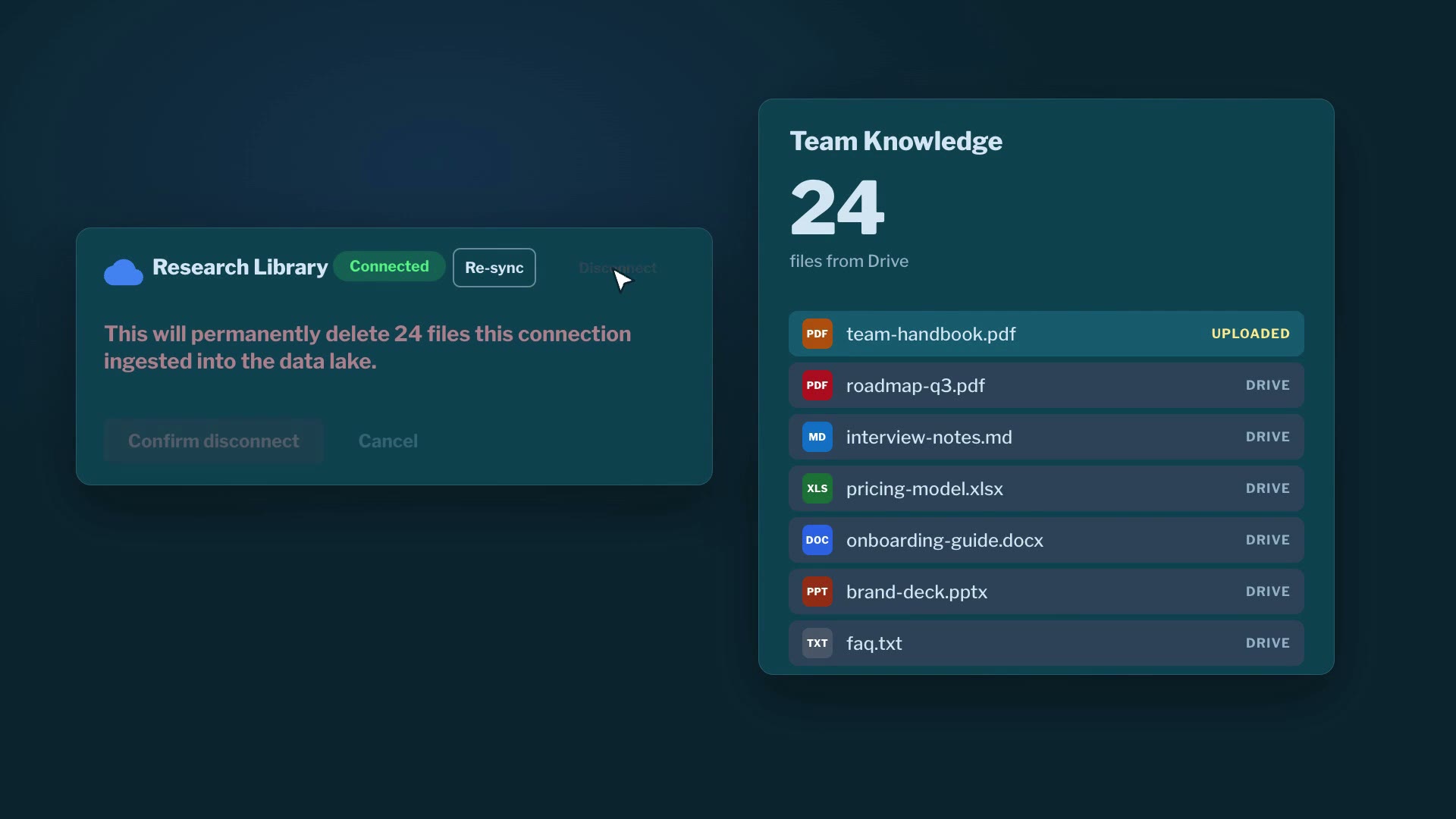
    Delete backups and imports when an account is purged

    When an account is deleted, all associated AI-edit backups, emailed attachments, and uploaded notebook imports are also removed. The desktop interface has been polished with a refreshed sign-in screen and improved import suggestions. Dropdown selectors now maintain a visible focus outline when navigated via keyboard. Error handling has been improved to display a status message instead of raw HTML on failed requests, and the unsubscribe page now clearly shows reasons for errors.

    • New: When an account is deleted, all associated AI-edit backups, emailed attachments, and uploaded notebook imports are also removed.
    • Improved: The desktop interface has been polished with a refreshed sign-in screen and improved import suggestions.
    • Fixed: Dropdown selectors now maintain a visible focus outline when navigated via keyboard.
    • Fixed: Error handling has been improved to display a status message instead of raw HTML on failed requests.
    • Fixed: The unsubscribe page now clearly shows reasons for errors when a link is invalid or an update is refused.
  • Feature

    Bike4Mind

    Remove backgrounds from reference images in Studio

    You can now remove the background from reference images in Studio, and the cutout will be saved to your Files. Team pages are now responsive and accessible on phones. In-chat media tools now check your account status before processing. Generated images in chat are now displayed as live cards showing progress and saved to your Files. You can also share and save generated media directly to your device.

    • New: You can now remove the background from a reference image in Studio.
    • Improved: Team pages work on phones and are accessible for screen readers.
    • Fixed: In-chat media tools now check your account status before processing.
    • New: Images made in chat now appear as live cards showing progress and are saved to your Files.
    • New: You can now share and save generated media directly to your device.
  • Feature

    Bike4Mind

    Limit AI providers and tools for your organization

    Organization owners can now restrict which AI providers, models, and built-in tools are available for their organization. Additionally, organizations will receive alerts for significant discrepancies in nightly spend reconciliation. Research tasks now download a maximum of 25 links, prioritizing the most relevant ones.

    • New: Organizations can now limit which AI providers, models, and built-in tools their organization can use.
    • New: Organizations will now receive alerts for significant discrepancies in nightly spend reconciliation.
    • New: A research task now downloads at most 25 links, prioritizing the highest relevance first.
  • Feature

    Bike4Mind

    Explore your saved artifacts in the new My artifacts library

    This release introduces the My artifacts library page for easy access to all your saved artifacts. Additionally, Studio now shows lineage chips for generated media and allows branching from any item. The data lake picker has been compacted to display counts, and the Orchestrate view now includes a Focus mode for better agent management.

    • New: You can now find every artifact you have saved under Artifacts in the sidebar.
    • New: Studio detail now shows how generated media relates with lineage chips and allows branching from any generated item.
    • Improved: The data lake picker now shows how many lakes and files are in scope.
    • New: Orchestrate has a new Focus mode that shows only the agents waiting on you or that failed.
  • Feature

    Bike4Mind

    Images appear immediately after moderation in Image Studio

    Images generated in Image Studio now display on their card as soon as they pass moderation. The app refreshes entitlements immediately when a member leaves a team. Team plan details are now visible on personal billing screens for team members. Users can approve agent requests directly from notifications in the iOS app. Older project invites that were never accepted are now closed and no longer show in pending invites.

    • Fixed: Images made in Image Studio now appear on their card as soon as they are ready, without reloading the page.
    • Fixed: When you leave a team, the app updates your features and models immediately, without a page reload.
    • Fixed: Personal billing screens now show the Team plan for team members, without offering an upgrade to Pro.
    • New: You can approve or deny agent requests directly from notifications in the iOS app.
    • Fixed: Older project invites that were never accepted are now closed and no longer appear in pending invites.

  • Feature

    Bike4Mind

    Export organization settings and member roles as CSV

    Organizations can now export their settings, member roles, usage, billing ledger, and audit events. Studio has a new design with a focused workspace and easy access to your credit balance. The API now supports web search, web page fetch, and current weather tools as v1 contracts. On iOS, users can scan documents into a PDF or take a photo to ask questions directly.

    • New: Organizations can now export organization settings, member roles, usage, billing ledger, and audit events.
    • Improved: Studio has a new look with a darker workspace and easy access to your credit balance.
    • New: API keys can now call web search, web page fetch, and current weather tools as documented endpoints.
    • New: On iOS, scan documents into one PDF or take a photo to open a question composer with the photo attached.
  • Feature

    Bike4Mind

    Set budget alerts for your organization

    Organization owners can now set a monthly credit budget and receive notifications when usage exceeds it or the balance is low. Additionally, push notifications can now be delivered to Android devices over FCM. A new API endpoint allows clients to view the lineage of generated media, showing how files are related. Other fixes include improved explanations for shared files after bulk removal and immediate roster updates when removing a team member.

    • New: Organization owners can now set a monthly credit budget and get notified when usage crosses it or the balance runs low.
    • New: Push notifications can now be delivered to Android devices over FCM.
    • New: A new API endpoint allows clients to view the lineage of generated media, showing how files are related.
    • Fixed: Bulk removal explains when shared or read-only files remain visible.
    • Fixed: Removing a member from a team now closes the dialog and updates the roster right away.
  • Feature

    Bike4Mind

    Edit team settings and confirm deletions in the team settings tab

    Organizations can now edit team details like name and logo, and confirm deletions with a safety check. Teams can also set retention periods for chats and files. The desktop app now shows relative message times on hover and allows dragging model components in the 3D viewer.

    • New: Organizations can now edit the team's name, description, logo, and billing contact from the team's Settings tab.
    • New: Teams can choose how long to keep chat history, uploaded files, and generated media.
    • Improved: Hover over a prompt or reply in desktop chat to see its age, such as '2 minutes ago'.
    • New: In the desktop 3D viewer, you can now drag a model's lids, doors, and drawers directly.

  • Feature

    Bike4Mind

    Verify email domains for automatic organization joining

    Organizations can now verify an email domain, allowing users with matching addresses to join automatically or with one click. A hands-free voice conversation mode has been added to the iOS app, enabling users to speak and receive replies read aloud. Test personas are now exempt from enforced multi-factor authentication enrollment. Several fixes have been made to improve the desktop app experience, including better handling of file edits and shell commands.

    • New: Organizations can verify an email domain, allowing users with matching addresses to join automatically or with one click.
    • New: A hands-free voice conversation mode has been added to the iOS app, allowing users to speak and receive replies read aloud.
    • New: Test personas are now exempt from enforced multi-factor authentication enrollment.
    • Fixed: "Allow in this chat" now covers later edits to the same file in the desktop app.
    • Fixed: Sending the first message in a new chat no longer switches the view to a different chat in the desktop app.
    • Fixed: Waiting agents in one Tavern zone now share a single readable bubble instead of overlapping bubbles.
    • Fixed: Forwarded emails with no action item deadline are now analyzed instead of failing.
    • Fixed: Prompt optimization no longer fails intermittently in the AI features.
    • Fixed: Users are now informed when a shell command's working folder is a file in the desktop app.
  • Feature

    Bike4Mind

    Get notified when your Studio job finishes

    Studio now notifies you when your images, video, or music are ready, even if you navigate away. The artifact viewer opens on the latest saved version. Organizations can publish reusable definitions to a shared library, and the expired-cache note now appears more discreetly.

    • New: Studio now notifies you when your images, video, or music are ready, even if you have moved to another page.
    • Fixed: The artifact viewer now opens on the artifact's latest saved version instead of Version 1.
    • New: Organizations can publish reusable definitions to a shared library and add personal copies from your pickers.
    • Improved: The expired-cache note now appears as a small note on the cache chip instead of a banner that moved the whole composer.
    • Fixed: Desktop now indicates when a chat's working folder is missing instead of showing a confusing shell error.
  • Feature

    Bike4Mind

    Enforce content sharing policies for organizations

    Organizations can now control public links and outside sharing with new content sharing policies. A passkey can be used as the only MFA factor. The auto-fix attempt cap is now adjustable in settings. Saving textured 3D models as GLB works again, and agent names in the Tavern are fully visible.

    • New: Organization sharing settings now control public links and outside sharing, with optional email-domain exceptions.
    • New: You can now use a passkey as your two-step verification method, instead of an authenticator app.
    • Improved: You can now choose how many times auto-fix tries a pull request before it stops, from 1 to 20, in Settings.
    • Fixed: Saving a textured 3D model as GLB works again, and agent names in the Tavern are no longer cut off at the edges.
  • Feature

    Bike4Mind

    Manage team members with new filters and bulk actions

    Organizations can now filter and sort team members by role or status, and remove multiple members at once. Bike4Mind Desktop offers a menu-bar summary and an always-on-top mini Tavern for easy agent management. API keys now show legacy status and end dates, helping users manage their access. Uploading password-protected PDFs now provides clearer feedback instead of a generic error message.

    • New: Organizations can now filter and sort team members by role or status, and remove multiple members at once.
    • New: Bike4Mind Desktop offers a menu-bar summary and an always-on-top mini Tavern for easy agent management.
    • New: API keys now show legacy status and end dates, helping users manage their access.
    • Fixed: Uploading a password-protected PDF now provides clearer feedback instead of a generic error message.

  • Feature

    Bike4Mind

    View recent team invoices in the Billing tab

    Team owners can now access recent invoices in the Billing tab, and teams can require MFA setup at the next login after a grace period. Additionally, Slack settings saving is now reliable even after deleting a notebook, and the desktop agent can set up repeating tasks with an end time.

    • New: Team owners can now see recent invoices in the Billing tab, with links to view each invoice or download its PDF.
    • New: Teams can require MFA setup at the next login after a grace period and view member enrollment status.
    • Fixed: Saving Slack settings no longer fails after a notebook used in a routing rule is deleted.
    • New: The desktop agent can now set up a repeating task for you, accepting an end time with '--until'.
  • Feature

    Bike4Mind

    Invite members with roles and bulk options in organizations

    Organizations can now invite members with specific roles, bulk invite using pasted text or CSV files, and share expiring invite links. The MFA setup step now includes an explanation and a clear sign-out option. Users can continue chatting in desktop sessions even after a task is canceled, and the 3D model pane allows for direct editing of specific parts.

    • New: Organizations can now choose a role when inviting members and bulk invite using pasted text or CSV files.
    • New: Organizations can share an invite link with an expiry and optional email-domain limit, and resend pending invitations.
    • Improved: The MFA setup step now explains its purpose and provides a clear option to sign out.
    • Fixed: Users can continue chatting in desktop sessions even after a task is canceled.
    • New: In the Desktop app's 3D model view, you can click a part and type a change for direct editing.
  • Feature

    Bike4Mind

    Create organization-owned API keys to maintain integrations

    Organizations can now create API keys that belong to them, ensuring integrations remain functional even after a member departs. Additionally, research configurations can now automatically admit trusted results into the data lake, and organization activity can be exported as a CSV file. The iPhone app now matches the web design for conversations, and Studio allows detailed parameter settings for generations.

    • New: Organizations can now create API keys that belong to them, ensuring integrations remain functional even after a member departs.
    • New: Research configurations can now automatically admit trusted results into the data lake, up to a limit you set.
    • New: Organization activity can now be filtered and exported as a CSV file from the new Audit tab.
    • Improved: The iPhone app now matches the web design for conversations, providing a consistent user experience.
    • Improved: Studio now allows detailed parameter settings for generations, enhancing customization options.
  • Feature

    Bike4Mind

    Use BFL and xAI image job providers for image generation

    Organizations can now utilize BFL and xAI image job providers for image generation. The desktop settings are now better organized, and the Tavern view keeps agents reachable and announces state changes. Artifacts shared with you now display their saved versions. Create v2 enhances the creation experience with capability-driven controls and model cards. Additionally, the notebook summarizer retains previous summaries when no text is returned.

    • New: Organizations can now use BFL and xAI image job providers for image generation.
    • Improved: Desktop settings are now grouped by purpose, with clearer descriptions and expandable advanced options.
    • Fixed: The Tavern view now keeps every agent within reach and announces when an agent needs you, finishes or fails.
    • Fixed: Artifacts shared with you now show their saved versions instead of 'Not saved'.
    • New: Create v2 now builds each medium's controls from the selected model's capability catalog entry.
    • Fixed: The notebook summarizer now retains the previous summary when the model returns no text.

  • Feature

    Bike4Mind

    Native iOS app now available with key features

    The new native iOS app is now available, offering sign-in, chat, media creation, and more. The desktop app simplifies permission settings navigation and improves shell command approvals. The Studio Library file browser adds locked filters, inline mode, and the ability to star files.

    • New: The native iOS app is now available, featuring sign-in, chat, media creation, and more.
    • Improved: Desktop permissions now have separate views and improved navigation for easier management.
    • Improved: The desktop app now asks about fewer routine shell commands, showing only the parts that need a decision.
    • Improved: The file browser for the Studio Library now includes locked filters, inline mode, and the ability to star files.
    • Fixed: The desktop title bar now follows your selected appearance, and sidebar sync buttons are more compact.
  • Feature

    Bike4Mind

    New tutorial feature for marked sessions

    Core tutorials can now answer chat turns based on their recorded script during marked sessions. Additionally, referral invitees will receive standard signup grants, and users can choose a Reasoning Effort level for Claude models in web chat.

    • New: Core tutorials can now answer chat turns based on their recorded script during marked sessions.
    • Fixed: Referral invitees now receive the standard signup grant when they verify their email and make their first payment.
    • Improved: Users can now select a Reasoning Effort level for Claude models in Advanced AI settings, which is honored in web chat.
  • Feature

    Bike4Mind

    Export local sessions and memories from your desktop

    You can now save your local Desktop conversations and project memories to a chosen folder. Additionally, your account export will report collection counts and notify you when the archive is ready.

    • New: Organizations can now save local Desktop conversations and project memories to a folder of their choice from Settings.
    • New: Your account export now reports collection counts and can notify you when the archive is ready.
  • Feature

    Bike4Mind

    Manage team roles directly from the Members tab

    Team owners can now manage managers and transfer ownership from the Members tab. Additionally, the app requires terms acceptance before credit purchases. A fix ensures resumed conversations display messages immediately, and another fix improves error reporting for task verification entries.

    • New: Organizations can now manage managers and transfer ownership from the Members tab.
    • New: The app now requires and records terms acceptance before credit purchases.
    • Fixed: Opening a conversation whose reply was resumed now shows its messages immediately.
    • Fixed: Error reporting for task verification now lists unmet acceptance criteria clearly.
  • Feature

    Bike4Mind

    Receive Live Activity updates via push notifications

    Organizations can now receive Live Activity progress updates for agent runs and chat turns through push notifications. Additionally, deleting your account will now automatically remove any sole-owner organizations. FabFile documents now generate signed download URLs per read instead of storing them. Several fixes have been made to improve the functionality of chat and account notices.

    • New: Organizations can now receive Live Activity progress updates for agent runs and chat turns via push notifications.
    • New: Deleting your account no longer requires deleting or transferring a sole-owner organization; it is removed automatically.
    • Fixed: FabFile documents now generate signed download URLs per read instead of storing them.
    • Fixed: Embedded chat now replies correctly when using built-in Claude or OpenAI models.
    • Fixed: Non-admins can now see the coming-soon page with the waitlist form when the server is offline.
    • Fixed: The account-suspension notice now correctly names the Terms of Service only once.

  • Feature

    Bike4Mind

    Edit images with bounding box support for region edits

    Organizations can now edit images using bounding box support for region edits. The usage page has been improved for readability and consistency. Additionally, organizations can send feedback directly from the profile menu in the side navigation.

    • New: Organizations can now edit images with bounding box support for region edits.
    • Improved: The usage page now shows readable names for charges and a consistent spend breakdown.
    • New: Organizations can now send feedback straight from the profile menu in the side nav.
  • Feature

    Bike4Mind

    Sign-in page now names the product for clarity

    The sign-in page now clearly names the product when accessing a link while signed out. Model lists refresh automatically with catalog changes, and composer settings now display correctly when switching chats. The system limits stored share-link entries per artifact to manage history effectively.

    • New: The sign-in page now names the product you are signing in to when accessing a link while signed out.
    • Improved: Model pickers and chat now automatically reflect changes in the model catalog without needing to reload.
    • Fixed: Composer settings now correctly display the current chat's settings when switching between chats.
    • Fixed: The system now limits the number of stored share-link entries per published artifact, ensuring older links are removed as new ones are added.
  • Feature

    Bike4Mind

    View your billing details directly in the desktop app

    You can now access the billing screen from your desktop account menu to view your balance and make purchases. Public profiles now show availability and account details to workspace colleagues. The desktop app provides hints for using Claude Code and web syncs during conversations. Emails and Slack messages now link to an app route instead of a presigned URL.

    • New: Open Billing from your desktop account menu to view your balance and make purchases.
    • Fixed: Public profiles now show availability and account details to workspace colleagues.
    • New: The desktop app now provides hints for using Claude Code and web syncs during conversations.
    • Fixed: Emails and Slack messages now link to an app route instead of a presigned URL.
  • Feature

    Bike4Mind

    Send feedback directly from the desktop account menu

    Organizations can now send feedback from the desktop account menu. The Data Lake picker now shows a GitHub data lake's repository name and file count after its first sync. Reopening Share on an artifact you already shared now shows its existing link instead of asking to publish again first.

    • New: Organizations can now send feedback from the desktop account menu.
    • Improved: The Data Lake picker now shows a GitHub data lake's repository name and file count after its first sync.
    • Fixed: Reopening Share on an artifact you already shared now shows its existing link instead of asking to publish again first.
  • Feature

    Bike4Mind

    Switch custom MCP connectors per chat from the Tools menu

    Organizations can now manage custom MCP connectors for individual chats directly from the Tools menu. The lake manager's folder tree now accurately reflects folder counts across the entire lake. The privacy policy clarifies that API requests are not used for training and that only usage metadata is retained.

    • New: Organizations can now switch custom MCP connectors on or off for individual chats from the Tools menu.
    • Improved: The lake manager's folder tree now shows accurate per-folder counts across the entire lake.
    • Fixed: The privacy policy now states that API requests are not used for training and only usage metadata is retained.
  • Feature

    Bike4Mind

    Set expiry for private share links when sharing content

    You can now choose how long a private link stays valid when creating or regenerating it. Additionally, you can edit or delete your own published comments. The skill share dialog now accurately shows the address you typed for exact-email user lookups.

    • New: You can now choose how long a private link stays valid when you create or regenerate it.
    • Fixed: You can edit or delete your own published comments.
    • Fixed: The skill share dialog now shows the address you typed for the exact-email user lookup.
  • Feature

    Bike4Mind

    Transfer billing ownership to an admin in your organization

    Organizations can now transfer billing ownership to an admin. Additionally, downloading curated notebooks saves them correctly as a zip file. A not-found page now appears for dead share links, and the credit purchase dialog is scrollable for easier access to the Pay now button. Importing a SKILL.md retains its model setting, and you can now update skills from a newer SKILL.md or create and update skills via API.

    • New: Organizations can now transfer billing ownership to an admin.
    • Fixed: Downloading curated notebooks now saves them as a single zip file under the correct export path.
    • Fixed: Opening a published link that resolves to nothing now shows a not-found page instead of raw text.
    • Fixed: The credit purchase dialog now scrolls, so the Pay now button can be reached on shorter screens.
    • Fixed: Importing a SKILL.md keeps its model setting, and the missing-files warning on import no longer lists repo docs.
    • New: You can update an existing skill from a newer SKILL.md and see what changes before applying it.
    • New: Public API routes now allow creating and updating skills from a SKILL.md without using the browser.
  • Feature

    Bob

    Bob's web designers panel looks at the page

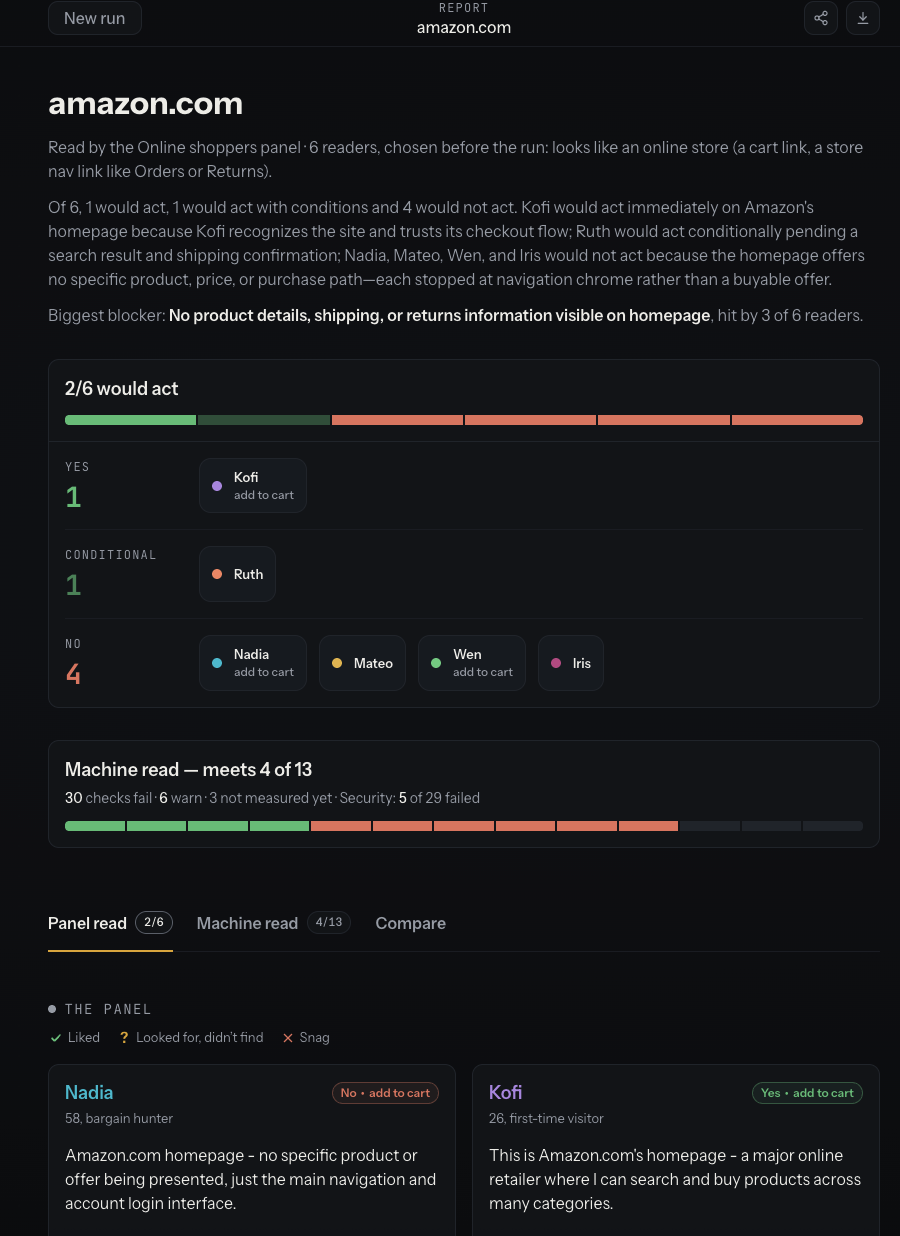
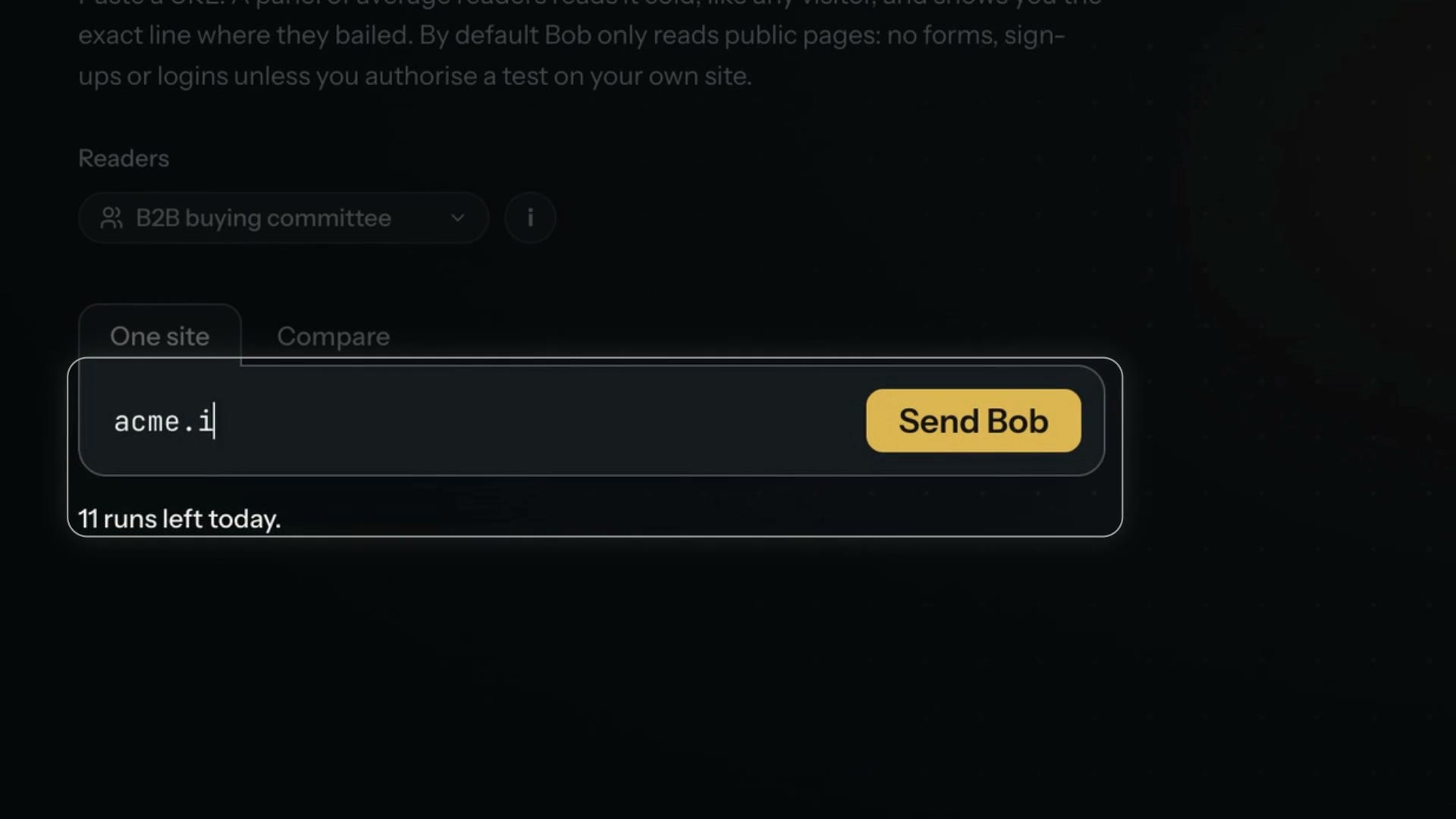
    Bob's web designers panel is the first that takes screenshots: its readers see the page's first screen, and each visual finding in the report shows the screenshot beside it.

  • Feature

    Bike4Mind

    Render images as background jobs in your workspace

    Organizations can now render images as background jobs, enhancing the generation job engine. Suspended accounts receive clear notices explaining their status. The skill import form now includes a help button for Claude Code prompts. Additionally, documents that cannot be processed will indicate the reason instead of showing no text.

    • New: Organizations can now render images as background jobs with the same lifecycle as video and music.
    • Fixed: Documents that are too large to process or cannot be opened now indicate the reason instead of reporting no text.
    • Improved: Suspended accounts now receive clear notices explaining the reason for suspension and how to appeal.
    • Improved: The skill import form now includes a help button that copies a ready-made prompt for preparing a skill in Claude Code.
  • Feature

    Bike4Mind

    Use session-scoped recurring loops in Desktop

    You can now use the `/loop` command in Desktop to repeat prompts or skills while the app is open. The 3D model pane no longer fails its first build, and SKILL.md imports now support drag-and-drop with clearer error messages. Billing improvements include displaying the active team's plan and name, and clarifying unusable SSH servers.

    • New: You can use `/loop` in Desktop to repeat a prompt or skill while the app is open.
    • Fixed: The 3D model pane no longer fails its first build after the app starts on a busy computer.
    • New: You can now drop a SKILL.md, a skill folder or a.zip onto the skill import area.
    • Fixed: Billing now shows the active team's plan, renewal and seats, and the account chip names the team.
    • Fixed: A saved SSH server with a missing destination now shows as unusable, providing clarity on its status.
  • Feature

    Bike4Mind

    Manage project members and invites through the public API

    The public API now allows organizations to manage project members, send invites, and handle system prompts. The sidebar's More menu remains visible on mobile devices. Deleting a message in a notebook will also remove the corresponding public page. The Billing dialog now lists plan credits in the history for better tracking. Desktop will confirm quitting when background work is active, ensuring no tasks are interrupted.

    • New: The public API can now remove project members, list and send project invites, and manage a project's system prompts.
    • Fixed: The sidebar's More menu now stays fully visible on phones.
    • Fixed: Deleting a message in a notebook now also removes the public page you published from that reply.
    • Fixed: The Billing dialog's history now also lists the credits your plan grants.
    • Fixed: Desktop asks before quitting when agents or other background work are active.

  • Feature

    Bike4Mind

    Download your account data with updated privacy policy

    The privacy policy now includes instructions for downloading a copy of your account data. Each chat now has its own 3D model pane. Unusable saved SSH servers are now visible with details on how to fix them.

    • New: The privacy policy now explains how to download a copy of your account data.
    • Fixed: Each chat now has its own 3D model pane, ensuring the correct model is displayed when switching chats.
    • Fixed: Unusable saved SSH servers now show in the Model servers list with details on what is wrong and how to fix it.
  • Feature

    Bike4Mind

    Use custom MCP tools in chat and agents with approval

    Organizations can now use their custom MCP connectors in chat and agents, with read-only tools running immediately and data-changing tools requiring confirmation. Additionally, you can highlight text in a chat to reply to it or start a side chat. New notebooks will now be named from the first prompt immediately, and the desktop app's composer toolbar has been decluttered for a tidier interface. The 3D model pane opens earlier during creation, and conversation headers have been streamlined for better navigation.

    • New: Organizations can now use their custom MCP connectors in chat and agents, with read-only tools running immediately.
    • New: Highlight text in a chat to reply to that exact passage or start a side chat about it.
    • New: New notebooks will now be named from the first prompt immediately.
    • Improved: The desktop app's composer toolbar has been decluttered for a tidier interface.
    • Improved: The 3D model pane opens earlier during creation, providing a first version sooner.
    • Improved: Conversation headers in the desktop app have been streamlined for better navigation.
  • Feature

    Bike4Mind

    Realistic 3D model rendering and cinematic video export

    The desktop app now features realistic 3D model rendering with various materials and lighting options, along with cinematic turntable video export. The Tavern environment has been enhanced with living light and improved interaction with agents. Additionally, notebooks created via the API now receive automatic titles, and voice history has been updated to replay final answers.

    • New: 3D models in the desktop app now render with realistic materials and lighting options.
    • New: Cinematic turntable video export is now available for 3D models in the desktop app.
    • New: The Tavern now features living light and improved interaction with agents.
    • Fixed: Notebooks created via the API now receive automatic titles for better organization.
    • Fixed: Voice history now replays the final answer of a tool turn, enhancing usability.

  • Feature

    Bike4Mind

    Discover embedding models and manage custom connectors easily

    You can now discover available embedding models and their dimensions through the embeddings API. Organizations can also add, review, and manage custom MCP connectors via a new web UI. Additionally, the chat history now includes the final answer from tool turns, enhancing the replay functionality. Desktop users can find and save model servers over SSH, expanding connectivity options.

    • New: You can discover available embedding models and their dimensions through the embeddings API.
    • New: Organizations can now add, review, and manage custom MCP connectors through a new web UI.
    • Fixed: The chat history now includes the final answer from tool turns, not just the preamble.
    • New: Desktop can now find and save model servers over SSH, expanding connectivity options.
  • Feature

    Bike4Mind

    Search users and organizations by identifier in the command palette

    Organizations can now search for users, keys, and organizations by identifier from the command palette. Restricted-tier users can run a substitute model on specific platform-metered routes. The API Keys page now indicates when a paid plan is needed for API key creation before attempting it. The Tools and Agents buttons now have accessible names even when their labels are hidden.

    • New: Organizations can now search for users, keys, and organizations by identifier from the command palette.
    • New: Restricted-tier users can now run a substitute model on specific platform-metered routes.
    • Fixed: The API Keys page now indicates when a paid plan is needed for API key creation before attempting it.
    • Fixed: The Tools and Agents buttons now have accessible names even when their labels are hidden.
    • New: Users can now chat with local models without needing to sign in.

  • Feature

    Bike4Mind

    Add members through invitations in organizations

    Organizations can now add members through invitations. This feature enhances collaboration by simplifying the member onboarding process.

    • New: Organizations can now add members through invitations.
  • Feature

    Bike4Mind

    Publish project files and sessions via the public API

    The public API now allows listing, adding, and removing project files and sessions. Bike4Mind Desktop can build 3D models from prompts and sync conversations from the web. Organizations can set spending alerts for young accounts, and legacy plan views now indicate retirement. Images saved from chats now include their generation details, and the desktop app prompt is hidden for users already signed in.

    • New: The public API can now list, add and remove a project's files and sessions.
    • New: Code sessions in Bike4Mind Desktop can now build 3D models from a prompt.
    • New: Organizations can now set a warning tier for young-account spend that alerts at 2 USD.
    • New: Bike4Mind Desktop can now show your Bike4Mind web conversations in the sidebar.
    • New: The legacy Quest Master views now say they are being retired.
    • Fixed: Images saved to Files from a chat now appear under Generated with their prompt and settings.
    • Improved: The "Try the desktop app" prompt no longer shows once you have signed in to the desktop app.
    • Fixed: In the Tavern view, the Innkeeper now stands behind the bar and the conversation panel has its own close button.
  • Fix

    Bike4Mind

    Published pages are removed when their source is deleted

    When a notebook or file is deleted, any pages published from it are also automatically unpublished. This ensures that outdated content is not accessible.

    • Fixed: When you delete a notebook or a file, any page you published from it is unpublished too.
  • Feature

    Bike4Mind

    Automatically approve signups after successful payment

    Accounts under manual review are now auto-approved once they make a successful card payment that passes fraud screening. Organizations can store Stripe webhook events and view a billing timeline. Self-hosted installs now index built-in help articles for chat searches, updated every 6 hours. Image edits with FLUX.2 models now accept reference images. The Desktop app can now find sessions by GitHub issue or PR number. Users are notified when a Notion connection fails, and Claude uses fewer credits when low on balance.

    • New: Accounts under manual review are auto-approved after successful card payment that passes fraud screening.
    • New: Organizations can now store Stripe webhook events and view a billing timeline.
    • New: Self-hosted installs now index built-in help articles for chat searches, updated every 6 hours.
    • New: Image edits with FLUX.2 models now accept reference images.
    • New: The Desktop app can now find sessions by GitHub issue or PR number.
    • Fixed: If your Notion connection fails, you are now asked to reconnect instead of seeing a server error.
    • Fixed: When low on credits, Claude now spends less of your remaining balance thinking, ensuring a reply.
  • Feature

    Bike4Mind

    Improved spend alerts for better credit monitoring

    Organizations will now receive one spend alert per spender, enhancing clarity in credit usage monitoring. Additionally, the curated catalog has been updated to version 3, now featuring modality, license labels, and runtime profiles for improved model selection.

    • Fixed: Organizations will now receive one spend alert per spender, improving clarity in monitoring credit usage.
    • New: The curated catalog now includes modality, license labels, and runtime profiles for better model selection.

  • Feature

    Bike4Mind

    Send bulk actions for notebooks and files in one request

    You can now favorite, tag, or share multiple notebooks or files in a single action. The sign-in process includes address checks before sending codes. New self-serve signups are automatically enrolled in the staged grant. Image generations using the retired GPT-Image-1 now run on GPT-Image-2. The desktop app provides specific error messages for model settings file issues.

    • New: Favoriting, tagging, and sharing multiple notebooks or files is now done in a single step.
    • Fixed: The sign-in process now includes checks for the recipient address before sending sign-in codes.
    • Fixed: New self-serve signups are now automatically enrolled in the staged signup grant.
    • Fixed: Image generations that used the retired GPT-Image-1 now run on GPT-Image-2 instead of failing.
    • Fixed: The desktop application now provides specific error messages for issues with the model settings file.
  • Feature

    Bike4Mind

    Resizable orchestrator dock and improved agent setup visibility

    The orchestrator dock can now be resized, and users can see detailed setup steps for spawned agents instead of just a generic status.

    • Fixed: The orchestrator dock can now be resized by dragging its edge, and the Board fits its columns without scrolling sideways.
    • New: Users can now see detailed setup steps for spawned agents instead of just a generic "Preparing" status.
  • Feature

    Bike4Mind

    Erase saved provider keys on account deletion

    When an account is deleted, all saved AI provider keys, project grants, and agent selections are also erased. The deep research progress panel has been redesigned for better clarity. Users now have limits on in-flight presigned uploads, which reserve bytes against their quota. The model picker indicates when a local model lacks tool support. A notice is shown when signing in with a payment-hold account, explaining the hold status.

    • New: When an account is deleted, all saved AI provider keys are erased.
    • Improved: The deep research progress panel is redesigned for better clarity and organization.
    • Improved: Users now have limits on the number of in-flight presigned uploads, reserving bytes against their quota.
    • Fixed: The model picker now indicates when a local model has no tool support.
    • Fixed: Signing in with a payment-hold account now shows a notice explaining the hold status.
  • Feature

    Bike4Mind

    Self-serve account deletion with a 14-day grace period

    Users can now delete their accounts with a 14-day grace period to reconsider. Desktop sessions can switch to an Orchestrate view for managing agents. A new page allows BedrockNews players to claim credits after playing. Various fixes improve the user experience, including message retention, document scrolling, and chat settings application.

    • New: Organizations can now delete their accounts from Settings with a 14-day grace period to cancel the deletion.
    • New: Desktop sessions that start other agents can now switch to an Orchestrate view to manage all agents at once.
    • New: A new page allows BedrockNews players to claim their credits after playing.
    • Fixed: A message you start typing now stays with the conversation you typed it in, even when switching conversations.
    • Fixed: The desktop window no longer scrolls into empty space, improving navigation and visibility.
    • Fixed: Chat settings now apply only to the specific chat they were changed in, enhancing user control.
    • Fixed: Importing a ChatGPT or Claude history file that is invalid will now be marked as failed, preventing blocks.
    • Fixed: Users will now receive a warning if Ollama in WSL limits GPU memory, improving awareness.

  • Feature

    Bike4Mind

    New trusted-account tier increases spend ceiling for organizations

    Organizations can now benefit from a higher spend ceiling with the new trusted-account tier. Additionally, organizations can review payment-risk alerts as detections.

    • New: Organizations can now benefit from a higher spend ceiling with the new trusted-account tier.
    • New: Organizations can now review payment-risk alerts as detections in the admin panel.
  • Feature

    Bike4Mind

    Message any session across projects with new desktop feature

    Desktop conversations can now message any other conversation across projects, with approval holds and @-mentions. Organizations can also use capped grant packages for invite signups and see referral rewards. Other updates include TTS voice samples in Studio, improved billing notifications, and better error messages for file attachments.

    • New: Desktop conversations can now message any other conversation across projects, with approval holds and @-mentions.
    • New: Organizations can now use capped grant packages for invite signups.
    • New: Inviters can now see their referral rewards and receive notifications about them.
    • New: The Speech tab in Studio now lists every TTS voice with a play button for samples.
    • Fixed: When a file attachment in chat is refused, you now see a notification explaining why.
    • Fixed: Fetching a link to an unreadable file type now explains the issue instead of failing with a server error.
    • Fixed: When your credit balance can't cover a full answer, it is now shortened with a note instead of going negative.
    • New: Buying a credit pack now releases the remaining signup grant schedule.
    • New: Organizations can now perform per-user signup grant admin actions.
    • New: Image uploads are now moderated based on a per-user daily allowance of detector calls.
    • Fixed: The new-subscriber Slack alert now shows subscriber names as plain text.
    • Fixed: Cancelling a GitHub connection now shows a specific cancellation message instead of a generic error.

  • Feature

    Bike4Mind

    Sign in with Apple now available for organizations

    Organizations can now enable Sign in with Apple for user authentication. Additionally, users can attach PDF files to chats and add folders from the composer. Alerts for credit spend spikes and a daily credit drip for new accounts have been introduced. The chat model picker has been improved with new features, including showing cached and pending model server lists. Other enhancements include better handling of tool failures in chats and improved analytics for purchases and internal accounts.

    • New: Organizations can now enable Sign in with Apple for user authentication.
    • New: Users can now attach PDF files to chats in Bike4Mind Desktop.
    • New: Users can now add folders to a chat from the composer menu.
    • New: Organizations will receive alerts on credit spend spikes.
    • New: New accounts will now receive a daily credit drip based on a schedule.
    • Improved: The chat model picker will now show cached and pending model server lists while refreshing.
    • Fixed: When a tool fails in a chat with an OpenAI model, the assistant now explains the failure.
    • New: Purchases will now be associated with the visit in which they were made.
    • New: Internal accounts' events will now be marked to exclude them from customer counts.
    • New: Subscription purchase events will now include the end date of the subscription period.

  • Feature

    Bike4Mind

    Download the new Windows Desktop installer for all architectures

    Users can now download a Windows installer for the latest desktop release, which supports both x64 and arm64 architectures. This simplifies the installation process for Windows users.

    • New: The Desktop download page now offers a Windows installer for the latest desktop release.
    • New: Desktop releases now include a single Windows installer that supports both x64 and arm64 builds.

  • Fix

    K2 Kanji

    K2 tags CJK text with its language

    K2 now tags Japanese, Chinese and Korean text with its language, so browsers pick the right Han glyph shapes and screen readers pick the right voice.

  • Feature

    Manifold

    Manifold Dashboard page

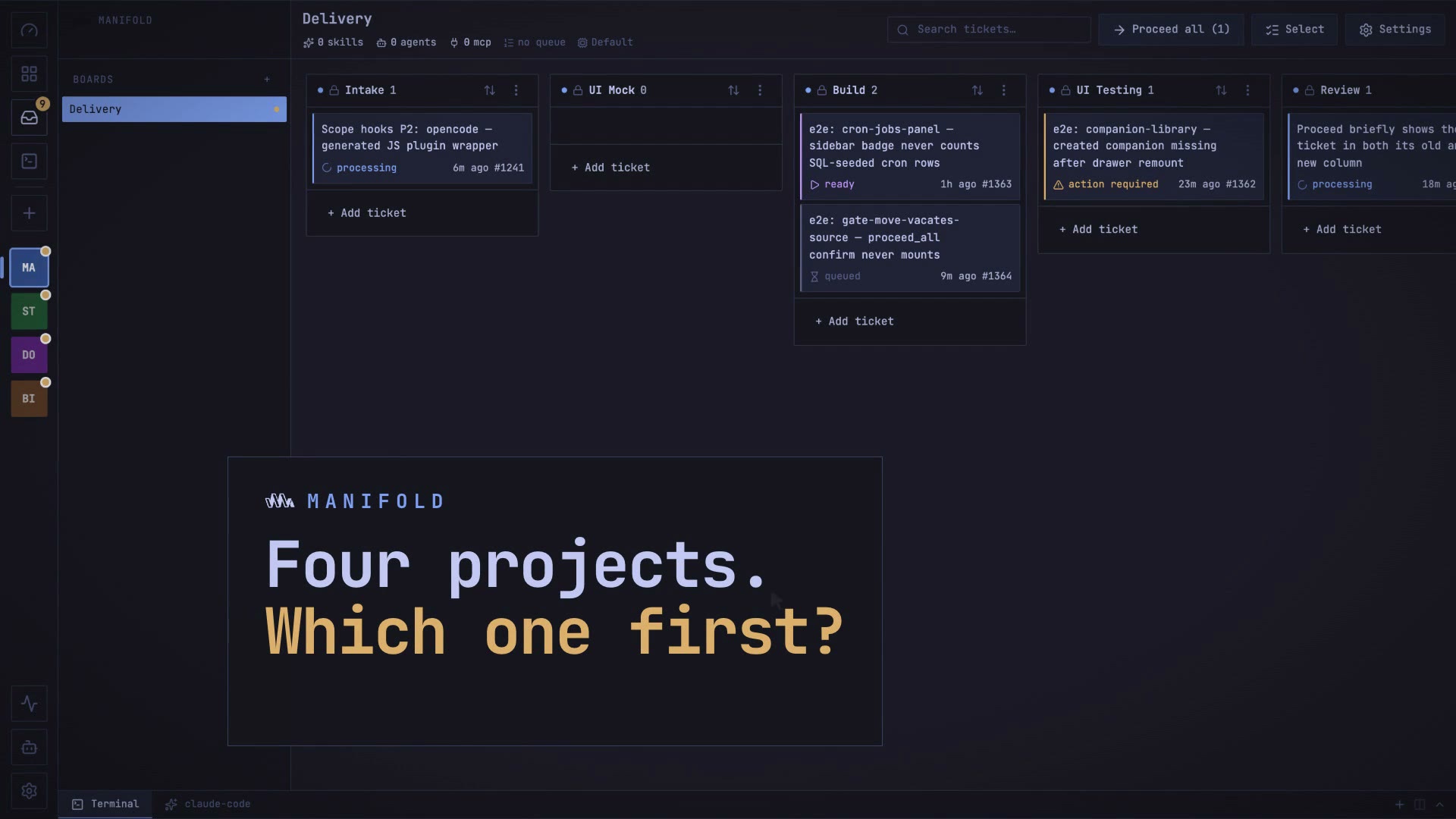
    Manifold adds a Dashboard page, the topmost control in the project rail, with a cross-project view of ticket status, tickets waiting on a human and running stages.

  • Feature

    Manifold

    Choose where Manifold keeps its data

    Manifold Settings has a Storage section for moving its data folder to any folder you pick, such as an external drive, after a checklist runs against the chosen folder.

  • Feature

    Manifold

    Manifold scope hooks

    Manifold adds scope hooks, authored as hooks files at the column, board, project or global tier and loaded on both the claude and opencode engines.

  • Fix

    Manifold

    Manifold teardown and send-back fixes

    Proceeding into a teardown column no longer hangs while the worktree is deleted, and declining a send-back with Keep here now parks the ticket as idle.

  • Feature

    Tarot

    Tarot starts the reading at the deal

    For a signed-in sitter with a shuffled deck, Tarot now offers Deal and read, which starts the reading as the cards fall, while Deal only still deals for free.

  • Feature

    Tarot

    Tarot deep reads on Opus 4.6

    Tarot deep reads now run on Opus 4.6, and the deck chooses the reader persona: Deco gets Madame Odile and Classic gets Miss Honora.